Your Website Looks Great — So Why Isn’t It Working?
You paid for a professional website. It looks the part. The colourscolors are right, the logo’s sharp, the photos are decent. When you show it to mates or customers, they say “yeah, that looks really good.” And they’re not wrong — it does look good.
So why is nobody finding it? Why aren’t you getting enquiriesinquiries through it? Why does it feel like the website equivalent of a beautiful shop on a street with no footfall?
You’re not imagining it. A good-looking website and a good-performing website are two completely different things. And the gap between them is costing you money every single day.
The Uncomfortable Truth About Most Small Business Websites
Here’s something most web designers won’t tell you: design and performance are separate jobs. A designer’s job is to make something look right. Making it fast, making Google understand it, making it convert visitors into customers — that’s a different skill set entirely.
Most small business websites were built with design as the priority. The structure, the code underneath, the hosting, the SEO — those were either afterthoughts or not thought about at all. The result is a website that looks professional to a human eye but looks like a mess to Google.
And if Google can’t make sense of your site, it doesn’t matter how pretty it is. Nobody’s going to see it.
Five Reasons Your Good-Looking Website Isn’t Delivering
1. It’s Slower Than You Think
Pull out your phone right now, disconnect from your Wi-Fi so you’re on mobile data — because that’s how your customers are actually loading it — and open your website. Count the seconds. If it takes more than two or three seconds to fully load, you’ve got a problem — because roughly half of all visitors will leave a site that takes longer than three seconds. They don’t complain. They don’t email you about it. They just hit the back button and call your competitor instead.
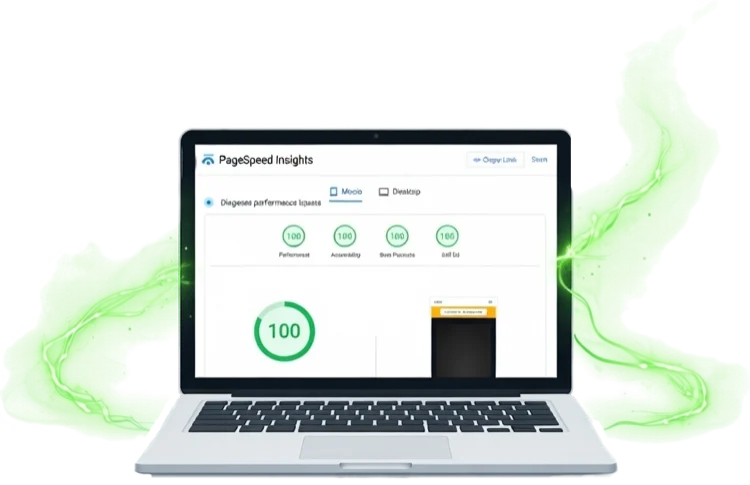
Or if you want the hard numbers, run your site through our free speed test → and see exactly how it scores. The results might surprise you.
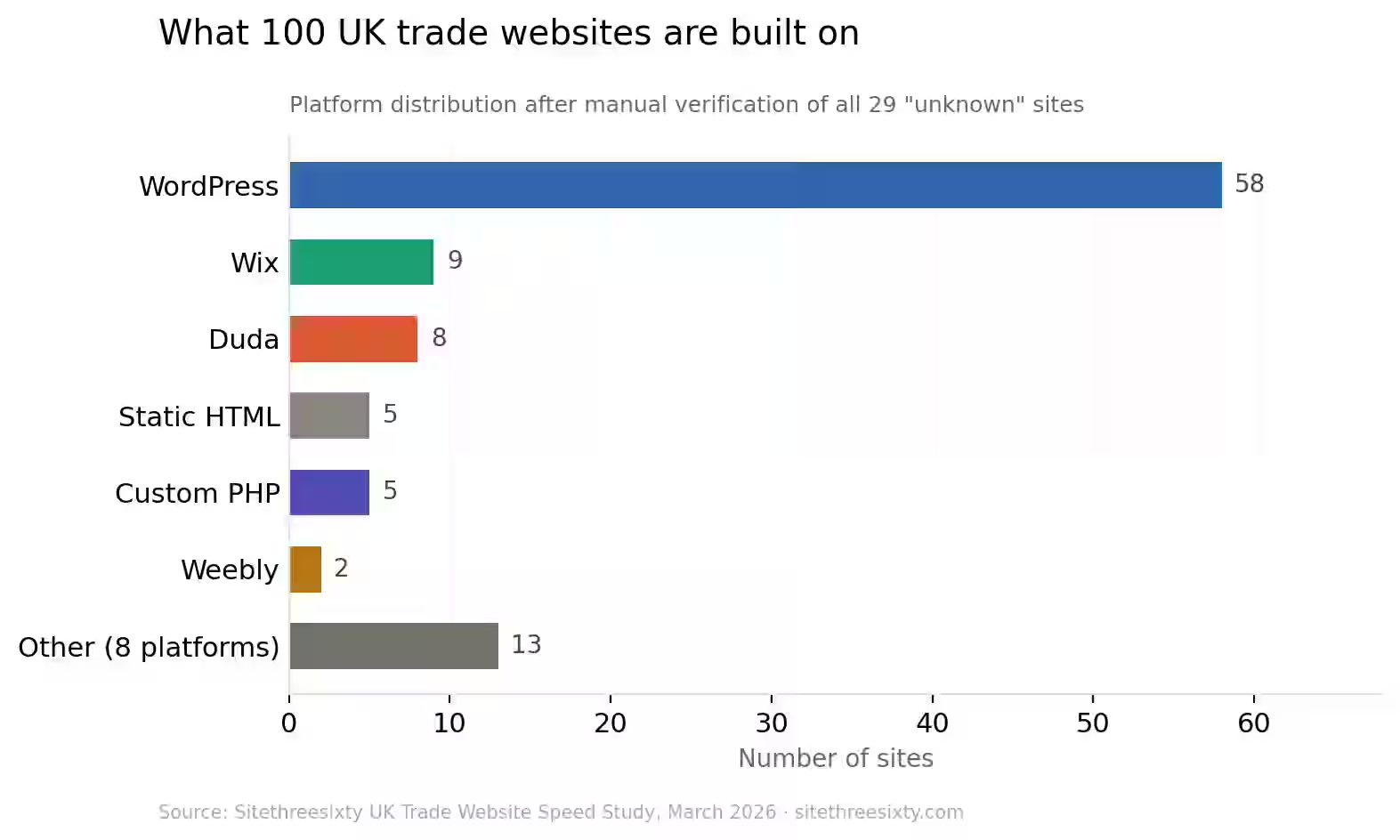
The usual culprits? A bloated WordPress theme loading scripts for features you don’t use. A page builder wrapping every element in layers of unnecessary code. Uncompressed images that are 3MB each when they should be 150KB. Cheap shared hosting where your site shares server resources with hundreds of others.
Your website might look like a sports car, but under the bonnet it’s running on a lawnmower engine.

2. Google Has No Idea What You Do or Where You Do It
You know what you do. Your customers know what you do. But does Google?
Open your website’s source code — or better yet, ask someone to — and look for the basics. Does every page have a unique title tag that describes the service and location? Are there proper meta descriptions? Is there a logical heading structure using H1, H2, and H3 tags? Is there schema markup telling search engines your business name, address, phone number, and service area?
If any of those are missing, Google is essentially guessing what your site is about. And Google doesn’t guess generously. If your site doesn’t clearly say “I’m a plumber in Bristol” or “I’m a landscaper covering South Manchester,” you’re not going to show up when someone in those areas searches for those services.
This is what people mean by SEO — and on most good-looking websites, it simply wasn’t built in.
3. It’s Not Really Mobile-Friendly
“But it works on my phone” isn’t the same as mobile-friendly. A responsive template that technically adjusts to a smaller screen isn’t necessarily a good mobile experience.
Is the text readable without zooming? Can someone tap your phone number to call you without hunting for it? Do the buttons have enough spacing that you’re not accidentally hitting the wrong one with your thumb? Does the most important information — what you do, where you are, how to contact you — appear without scrolling?
Over 60% of local searches happen on mobile. Google uses the mobile version of your site to decide your rankings. If the mobile experience is clunky, slow, or frustrating, you’re penalisedpenalized twice — once by Google, and once by the visitor who leaves.
4. Your Website Doesn’t Make It Easy to Get in Touch
This one sounds obvious, but it’s staggeringly common. You’ve got a beautiful website with your phone number on the contact page — and nowhere else. The contact page is three clicks deep. There’s no click-to-call on mobile. The enquiryinquiry form has eight required fields including “how did you hear about us?” which nobody wants to fill in while standing in their kitchen with a leaking pipe.
Every extra click between “I need this service” and “I’ve just contacted someone” is a chance for the visitor to give up and try the next result on Google. Your website needs to make getting in touch almost effortless — phone number visible on every page, a short enquiryinquiry form above the fold, and a clear call to action that says “call now” or “get a free quote” rather than a vague “learn more.”
5. Nobody’s Looking After It
When was the last time anything was updated on your website? Not the content — the actual platform. The WordPress core, the plugins, the PHP version, the SSL certificate, the hosting environment.
If your answer is “I don’t know” or “I think my old developer used to handle that,” your site is probably running on outdated software with known security vulnerabilities. It might already be slower than it should be because of compatibility issues. It might even have been quietly compromised — malware injected into a plugin you forgot existed — without you knowing.
A website isn’t a “build it and forget it” thing. It’s more like a van — it needs regular servicing to stay roadworthy. Without that, performance degrades, security risks grow, and eventually something breaks at the worst possible time.
The Fix Most People Don’t Know Exists
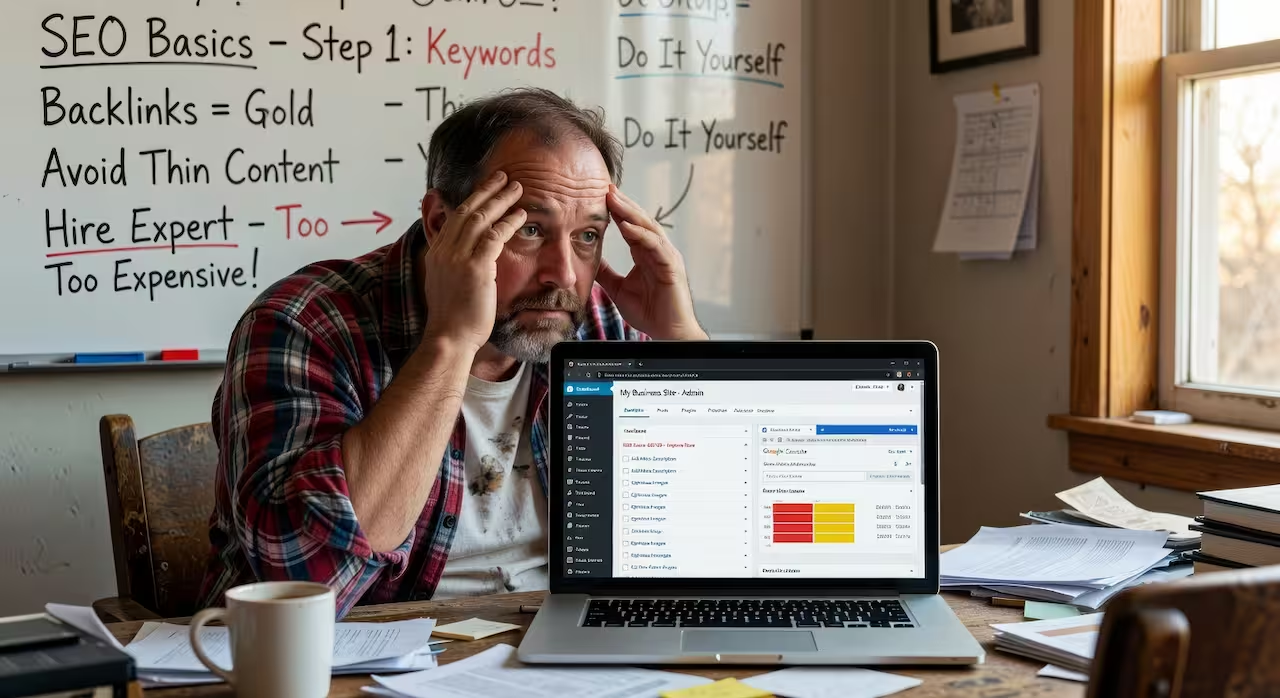
When business owners realiserealize their website isn’t performing, the instinct is usually one of two things: try to fix it themselves (which rarely ends well) or pay someone to build a completely new site (which means losing a design they already like and spending thousands).
But there’s a third option that most people don’t know about — because almost nobody offers it.
Keep the design. Rebuild everything underneath.
Same look. Same branding. Same layout and feel. But rebuilt from the ground up with clean, efficient code, proper SEO architecture, fast and secure hosting, and ongoing maintenance so you never have to think about it again.
It doesn’t matter what platform your current site is built on — WordPress, Wix, Squarespace, Shopify, or something custom. The entire thing gets rebuilt with hand-written code that does exactly what it needs to do and nothing it doesn’t. No bloated themes. No unnecessary plugins. No page builder overhead. Just clean, fast, purposeful code.
The process doesn’t touch your existing website. The new version is built separately, you review it on a staging link, compare it to what you’ve got, and only when you’re happy does the switch happen. You update your nameservers, the old site switches off, the new one goes live. No downtime. No disruption. No “under construction” notices.
And once it’s live, it’s maintained — hosting, security, backups, updates, performance monitoring — all handled. You just run your business.
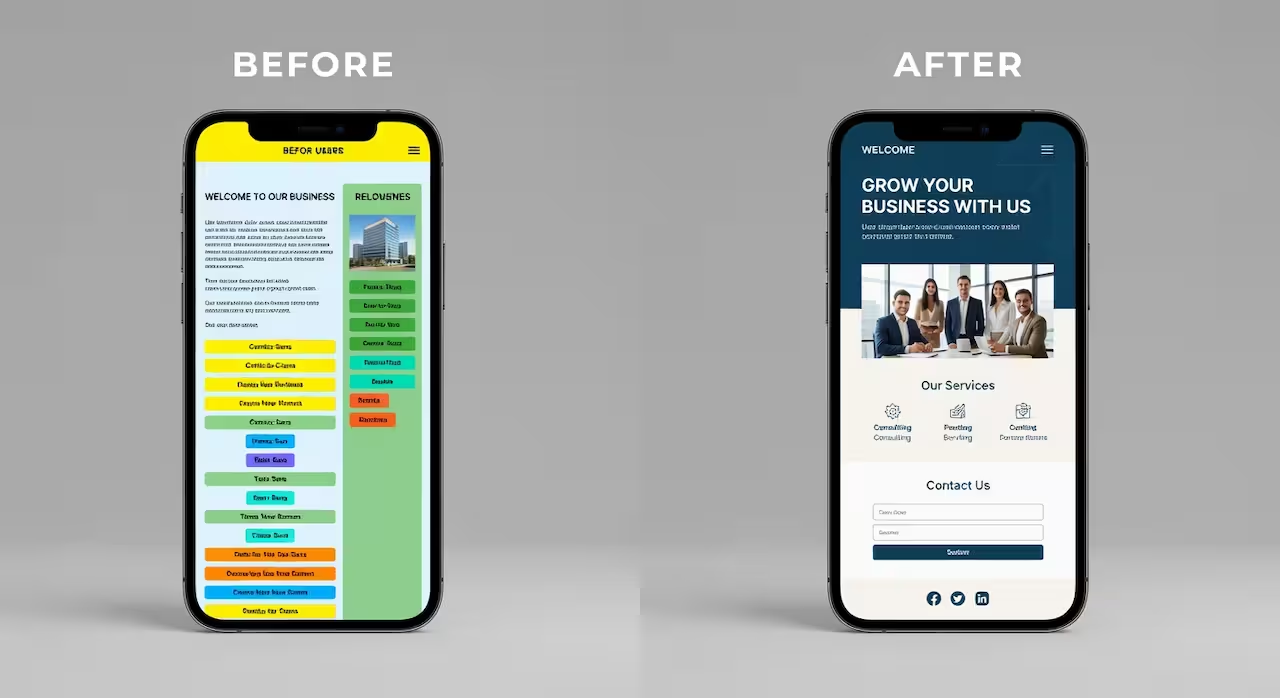
Can I Keep My Website Design But Improve the Speed and SEO?
Yes. That’s literally the point.
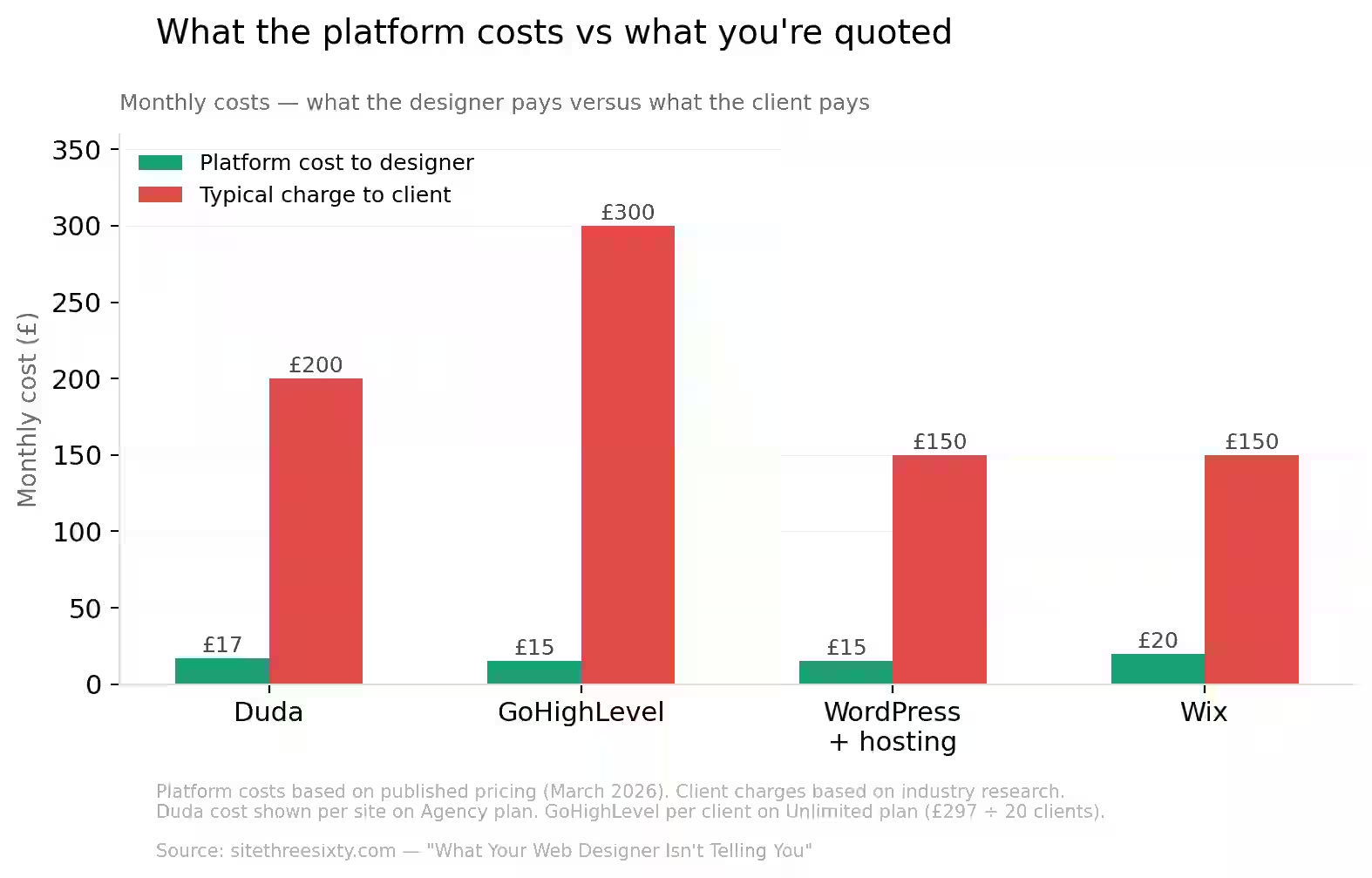
You don’t need a new design to fix a performance problem. You don’t need to start from scratch to get proper SEO. And you definitely don’t need to pay agency prices for the privilege.
The design you’ve got was created for a reason — it reflects your brand, your personality, your business. Throwing that away just because the code behind it is slow or the hosting is cheap would be like repainting your van because the engine needs a service. It doesn’t make sense.
What makes sense is keeping what works and fixing what doesn’t.
Do I Need to Redesign My Website to Rank on Google?
No. Ranking on Google is about technical structure, content relevance, page speed, mobile usability, and authority signals — not about whether your site has a trendy new layout.
A well-coded, fast-loading, properly structured version of your existing design will outrank a flashy new redesign that’s built on the same bloated platform with the same SEO gaps every time.
Google doesn’t care if your site looks like it was designed yesterday or three years ago. It cares whether it loads fast, whether it’s mobile-friendly, whether the content matches what people are searching for, and whether the technical foundation tells it what your business is and where you operate.
If your current design does a good job of presenting your business, the design isn’t the problem. The infrastructure is. Fix that and the rankings follow.
Why Isn’t My Website Generating Leads?
If your website gets some traffic but nobody’s calling or filling in the enquiryinquiry form, the issue is conversion — and that’s usually fixable without changing your design.
Common conversion killers include: your phone number only appearing on the contact page, no click-to-call button on mobile, an enquiryinquiry form that asks for too much information, no clear call to action on your homepage, and slow page loads that cause visitors to leave before they’ve even seen your content.
A rebuild addresses all of this. Your phone number goes everywhere. The enquiryinquiry form gets simplified and placed where people can actually see it. Load times drop from five seconds to under two. Every page gets a clear, prominent call to action. Same design, same look — but suddenly the site is built to convert, not just to look nice.
What This Costs
This runs on the same subscription model as a brand-new build. Two plans — Lite and Pro — paid monthly. No big upfront fee. No 12-month contract. The rebuilt site is completed before your first payment, you review and approve it, and billing starts only once you’re happy. Cancel anytime with 30 days’ notice. T&Cs apply.
You’ve already invested in a website you like. You shouldn’t have to spend thousands more just to make it do what it should’ve been doing all along.
Get a Free Site Audit → I’ll analyseanalyze your current website and show you exactly what’s holding it back — no charge, no obligation.
View Pricing Plans → Monthly pricing. No contracts. No upfront rebuild costs. Lite or Pro.